Random Mouse Clicker for Windows
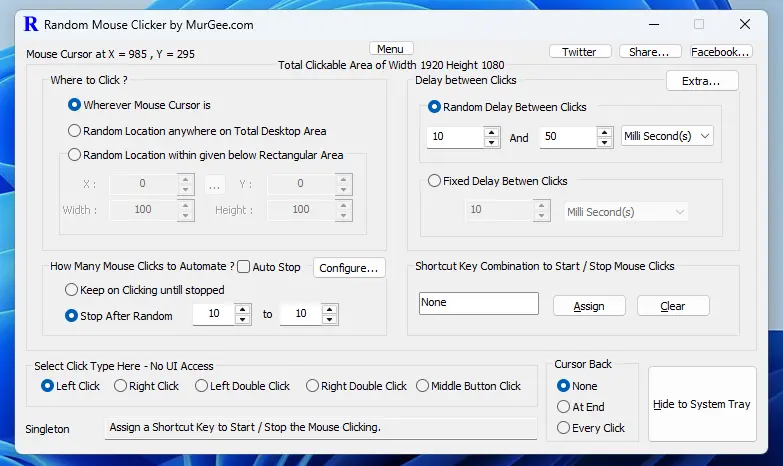
Automate Mouse Clicking with Random Mouse Clicker by MurGee.com on Windows 11 or Windows 10 Desktop or Laptop Computer. Global Keyboard Shortcut to Start / Stop Clicking at Current Mouse Cursor Location, at random Screen Location within Screen Area or at Configurable Screen Area is available. You can let it Clicking until Stopped or Random Times within defined Minimum and Maximum range. The Time Delay between Clicks can be Random within Configured Range or Fixed Number of Time Duration Configurable in Milliseconds, Seconds or even Minutes. Apart from Title bar, you can even drag main screen of the software with Mouse Cursor.
Download Free Trial of Random Mouse Clicker on Windows
You can download and try this Mouse Clicking Application on your Windows 11 or Windows 10 Computer for Free and evaluate it to see whether it fits your purpose or not. To know more about this Mouse Automation Utility navigate to Random Mouse Clicker Home and read about it. Before installing it on your 32 bit or 64 bit computer, do scan it with some online antivirus website so you are sure that no virus or malware is present in the .msi setup package. Yes, the setup file has been already scanned with online antivirus website which scans it with multiple antiviruses. Yes, Microsoft SmartScreen filter allows to download and install the setup package of this Random Mouse Clicker Application Utility for Windows.
Configure Mouse Clicking and other Parameters
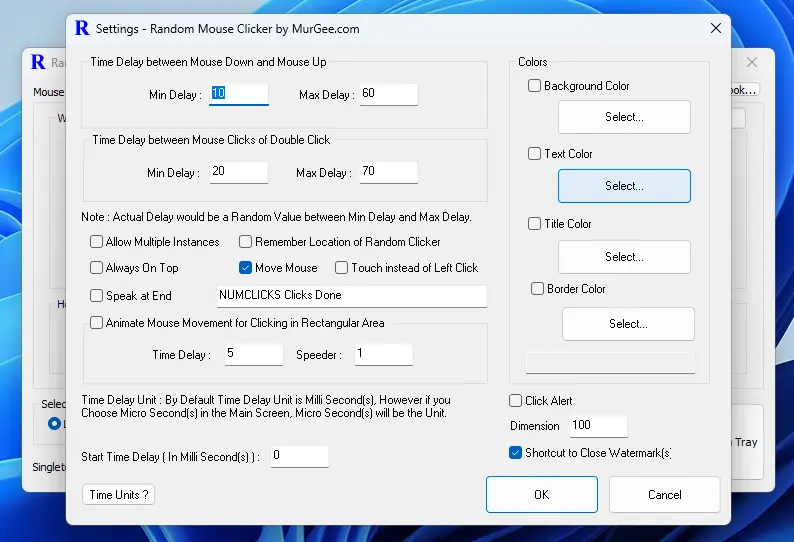
There are few configurable parameters in this Software to tweak the Automated Mouse Clicking, Visual Aspects, etc which can be configured from Settings of the Software. To Open up the Settings Screen, Click on Menu Button or Right Click on the Main Screen of Random Mouse Clicker. Random Time Delay between Mouse Up and Mouse Down of ever Mouse Click can be configured to a Random Time Interval. You can even enable Screen Touch instead of Mouse Click to view standard visual Mouse Click Touch Screen Animation. Text to Audio can also be enabled so that the software speak number of Automated Random Mouse Clicks performed.